No, ChatGPT cannot make a video on its own. As of September 2026, it writes scripts, shot lists and prompts, and it creates still images, but it has no built-in video generator. OpenAI closed the Sora app on April 26, 2026, and the Sora API shuts down on September 24, 2026. To get a finished video, use ChatGPT for the words and a video tool for the scenes, voiceover and captions.
Below you will find what ChatGPT can and cannot do for video, and what happened to Sora. Then come video GPTs and plugins, a simple workflow, and three prompts you can copy.
The short answer
| What you want | Can ChatGPT do it alone? | What to use |
|---|---|---|
| A video script | Yes | ChatGPT, or a script tool that adds timestamps |
| A shot list and AI video prompts | Yes | ChatGPT |
| Still images for a storyboard | Yes | Images in ChatGPT |
| Moving video clips | No | An AI video generator |
| Voiceover, captions and music synced to the clips | No | A video maker that builds the whole video |
| A finished MP4 ready to post | No | A video maker, sometimes reached through a ChatGPT plugin |
Facts about ChatGPT and Sora in this guide come from OpenAI's own pages, checked on September 24, 2026.
What ChatGPT can do for a video
Most of the work in a short video is deciding what to say and what to show. ChatGPT is good at both. Think of it as the writers' room, not the camera.
Here is what it does well:
- Scripts. Give it a topic, a length and an audience. Ask for spoken lines split into timed scenes.
- Hooks. Ask for ten opening lines, then keep the one you would stop scrolling for.
- Shot lists. For each scene, ask what the viewer sees: subject, action, setting, camera move and light.
- Prompts for AI video models. Turn each shot into a prompt that a video generator can read.
- Captions, titles and descriptions. Once the script is locked, ask for a post caption and a few title options.
- Images. ChatGPT Images is available on all ChatGPT tiers, and it can generate images in any aspect ratio (OpenAI). Ask for 9:16 frames to match a vertical video. OpenAI released ChatGPT Images 2.5 on September 8, 2026 (release notes).
What it cannot do is turn any of that into moving footage. The ChatGPT release notes, as of September 24, 2026, list no video generation feature. The video items there are about live video in voice chats, not making clips.

What happened to Sora
Sora was OpenAI's video generator. Sora 2 launched on September 30, 2025, and ran in its own Sora app and website (OpenAI). That page now carries a notice that the Sora product is no longer available as of April 26, 2026.
Here is the timeline from OpenAI's pages:
| Date | What changed |
|---|---|
| September 30, 2025 | Sora 2 released with the new Sora app |
| March 24, 2026 | OpenAI notified developers that the Videos API and Sora 2 models would be removed |
| April 26, 2026 | Sora web and app experiences discontinued |
| September 24, 2026 | Sora API shuts down, including the sora-2 and sora-2-pro models |
Sources: OpenAI Help Center and the OpenAI API deprecations page.
The deprecations page lists no recommended replacement for the Videos API or the Sora 2 models. So apps that offered Sora 2 through OpenAI's API lose it on the same date.
If you made videos in Sora, OpenAI says you can export them at sora.chatgpt.com/sunset. You get an email when the export is ready. OpenAI also says it will permanently delete Sora data after any final export window, so do this soon.
Video GPTs and plugins inside ChatGPT
Video GPTs and plugins let you start a video from the chat window. The video itself is made by another company's service.
Custom GPTs
InVideo's "Video Maker by invideo AI" GPT is one example. According to InVideo's own page, you describe the video in ChatGPT, then follow a link to InVideo's site to view, edit and export it. InVideo says the GPT writes a script and picks footage from its library of 16 million+ stock photos and videos. It then adds a voiceover and music.
Custom GPTs are on their way out. OpenAI plans to retire them on December 11, 2026, and move creators to plugins (OpenAI FAQ). If you rely on a video GPT, check what its maker will replace it with.
Plugins
On July 9, 2026, OpenAI replaced ChatGPT's App Directory with a Plugin Directory. Some plugins in it generate video clips from a prompt. Before you install one, keep this in mind:
- Someone else makes the video. The plugin's developer runs the model, sets the price and writes the terms.
- Expect a second sign-in. OpenAI notes that installing a plugin may start the provider's own setup or authorization flow (OpenAI).
- Check what comes back. Some tools return a single clip. For a post-ready short, you need a finished video with narration, captions and music.
How to make a video with ChatGPT: a workflow that works
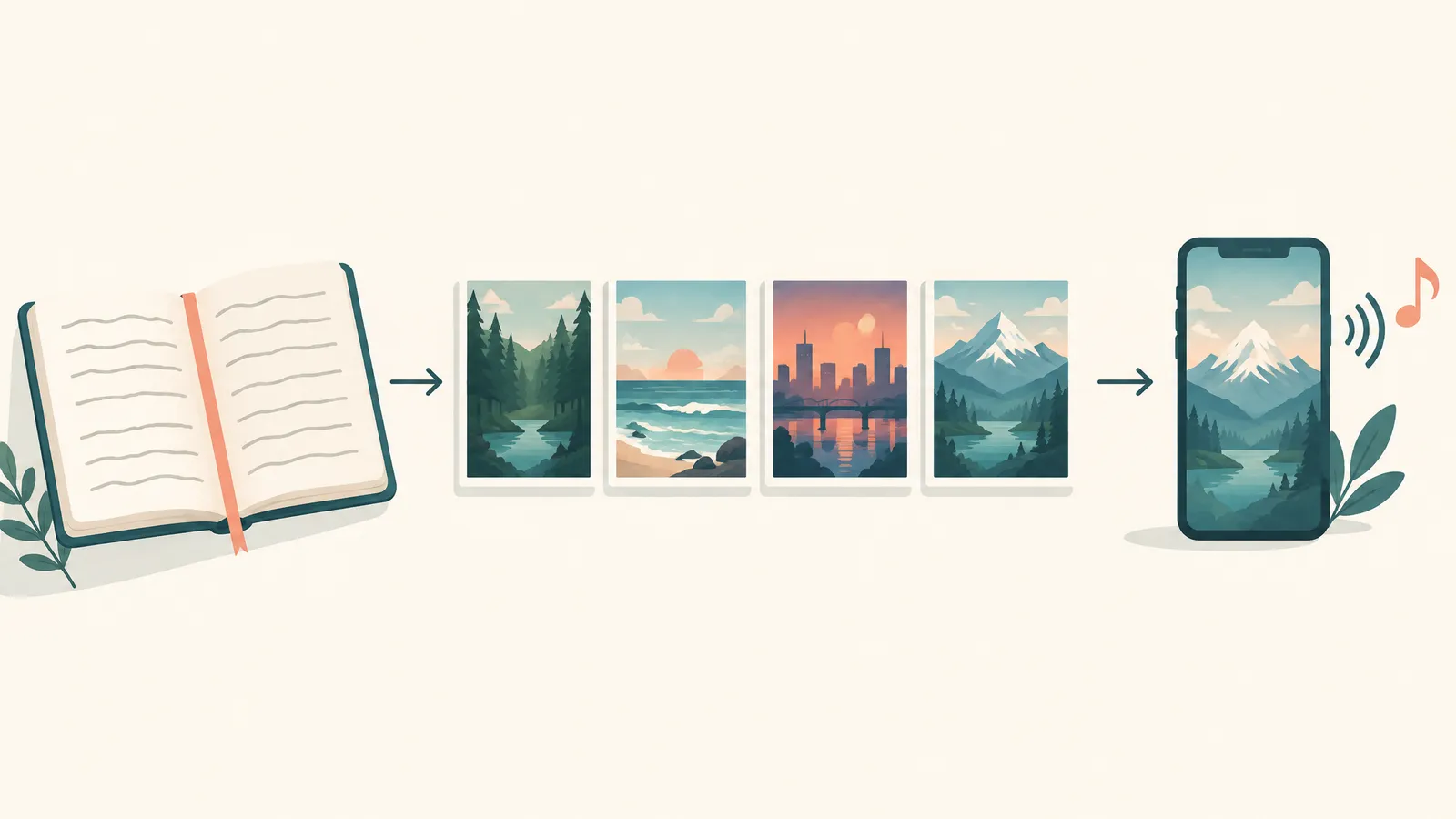
The practical split is simple. ChatGPT handles the words. A video tool handles the pictures, the sound and the timing.
- Pick one idea and one length. "Why octopuses have three hearts, 30 seconds, for curious teens" is enough. A fixed length keeps the script tight.
- Write a timed script. Use prompt 1 below. Then read it out loud with a timer and cut any line you stumble on.
- Turn the script into a shot list. Use prompt 2. You get one visual per scene and a ready prompt for an AI video model.
- Write the opening last. Use prompt 3 for ten hooks. By now you know what the video delivers, so the hook can promise it honestly.
- Generate the scenes. Paste each shot prompt into an AI video generator, or give the whole script to a video maker that builds every scene.
- Add voiceover, captions and music. Captions should follow the spoken words. Music should sit under the voice, not on top of it.
- Fix the weak spots, then export. Regenerate the one scene that looks wrong instead of the whole video. Export 9:16 for TikTok, Reels and Shorts.
Steps 5 to 7 are where ChatGPT stops. You can do them by hand, clip by clip, in an editor. Or you can use a tool that does them in one pass.
3 copy-paste ChatGPT prompts for video scripts and shot lists
Replace the parts in square brackets. Each prompt asks for a fixed format, so the answer pastes cleanly into the next step.
Prompt 1: A timed video script
Write a [30]-second voiceover script for a vertical short video about [topic].
Audience: [who is watching].
Tone: [calm / punchy / funny / serious].
Rules:
- Split it into 5 scenes with timestamps (00:00-00:06, 00:06-00:12, and so on).
- Each scene is 1 or 2 short spoken sentences. No stage directions in the spoken lines.
- Scene 1 is a hook that makes a clear claim or asks a sharp question.
- The last scene gives one takeaway or one call to action.
- Use plain words a 12-year-old would understand.
- It must be easy to read aloud in [30] seconds at a relaxed pace.
Return a table with columns: Scene, Time, Spoken line.
Prompt 2: A shot list with AI video prompts
Here is my video script:
[paste the script table]

For each scene, write one shot for an AI video generator.
Rules:
- One shot per scene, matching that scene's timestamps.
- Describe only what the camera sees: subject, action, setting, camera move, light, style.
- Describe the main character the same way in every shot: [fixed description, for example "a grey-haired woman in a red racing suit"].
- No words, signs or logos inside the shot. Captions will be added later.
- Vertical 9:16 framing.
Return a table with columns: Scene, Time, What we see, Video prompt.
Prompt 3: Ten hooks written to be said out loud
My short video is about [topic] for [audience].
Write 10 different opening lines I can say in the first 2 seconds.
Rules:
- Each line is under 15 words.
- Mix styles: a surprising fact, a common mistake, a bold claim, a direct question, a "stop doing X" line.
- No promise the video cannot keep.
- Write them the way a person talks, not the way an ad reads.
Then pick the strongest 2 and explain why in one sentence each.

Tips that make these prompts work better
- State the length every time. A script with no length target is hard to time, and hard to cut into scenes.
- Reuse one character description word for word. If the wording changes between shots, the video model has room to change the face or the outfit.
- Keep words out of the shot. Put text in captions instead. Captions stay sharp and you can edit them later.
- Check the facts. For educational videos, verify every number and name before you generate anything.
- Ask for tables. Tables paste neatly into a spreadsheet, an editor or a video tool.
For more prompt patterns, see our guide to writing AI video prompts. For the full process from idea to export, read how to make AI videos.
Skip the copy-paste: where FrameSurfer fits
The workflow above works, but steps 5 to 7 mean a lot of copying between tabs. FrameSurfer is an AI video maker built to do those steps in one place. It also has writing tools for the steps before them.
- Script. The AI video script generator turns a one-line idea into a scene-by-scene script with timestamps. You choose 15, 30, 45, 60 or 90 seconds, and a style: punchy, storytelling, educational, cinematic or persuasive.
- Hooks. The AI hook generator gives you 10 spoken openings for a topic. Copy one, or send it to the script tool.
- Single shots. AI text to video turns one written shot into one clip, in 9:16, 1:1 or 16:9. That is where a single prompt from your ChatGPT shot list goes.
- The whole video. The full editor takes an idea or a script and builds the finished video. It generates every scene, records the voiceover, adds synced captions and music, and exports an MP4 at up to 1080p.
You can bring ChatGPT's work with you. A script you wrote becomes the plan for the video, and you can edit that plan before anything is generated. A 15 to 60 second video usually takes a few minutes. If you want to start from one shot, try text to video with a prompt from your shot list.
When ChatGPT alone is enough
Sometimes you do not need a video tool yet. ChatGPT alone is enough when you are:
- Planning a video you will film yourself, with a script and a shot list for the camera.
- Testing ideas, by writing three versions of a hook and sharing them with a friend or your audience.
- Writing captions, titles and descriptions for a video you already have.
Once you need moving pictures, a voice and timing, you need a video tool. That is still true in September 2026, with Sora gone and custom GPTs set to retire.
Want a timed script without the copy-paste? Give the FrameSurfer script generator your one-line idea, then take the script into the editor as the plan for your video.
Frequently Asked Questions
Can ChatGPT make a video for free?
No. As of September 2026, ChatGPT has no built-in video generator on any plan. You can write the script and shot list in ChatGPT, then take them to a video tool to generate the scenes.
Is Sora still available in ChatGPT?
No. OpenAI discontinued the Sora app and website on April 26, 2026, and the Sora API shuts down on September 24, 2026. Past users can export their Sora content at sora.chatgpt.com/sunset.
What is the ChatGPT video GPT?
It usually means a custom GPT from a video company, such as InVideo's Video Maker GPT. You describe the video in ChatGPT, then view, edit and export it on that company's site. OpenAI plans to retire custom GPTs on December 11, 2026.
Can ChatGPT write a script for a YouTube Short or TikTok?
Yes. Give it the topic, audience, tone and exact length, and ask for timed scenes in a table. Read the result aloud with a timer and trim any line that runs long.
Can ChatGPT make images for my video?
Yes. ChatGPT Images works on all ChatGPT tiers and can create frames in any aspect ratio, including vertical 9:16. You can use those frames as a storyboard, or animate one in an image-to-video tool.
What is the fastest way to turn a ChatGPT script into a video?
Paste the script into a video maker that generates every scene and adds voiceover, captions and music in one pass. In FrameSurfer, your script becomes the plan, and you can edit it before anything is generated.