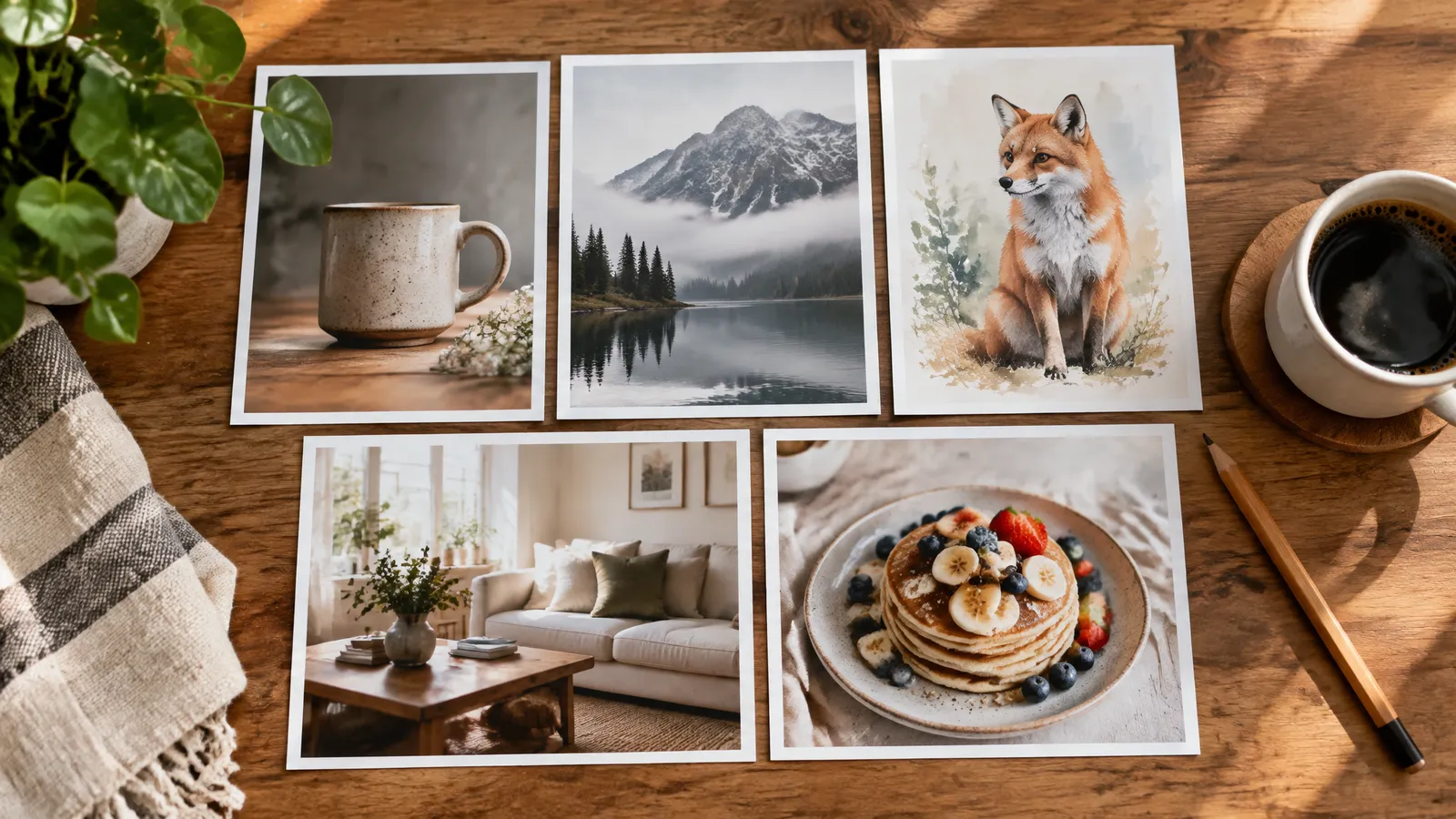
FrameSurfer publishes this guide and is one of the tools covered.
Seedream 5.5 costs $0.03 per picture on fal.ai at 1K or 1.5K, and $0.0405 at 2K, as of November 12, 2026. In FrameSurfer it costs 1.5 credits per picture, at 2,048 pixels on the long side, which works out to about 4 to 6 US cents depending on your plan. New accounts get 20 free credits, enough for 13 Seedream 5.5 pictures.
ByteDance's Seed team released Seedream 5.5 on November 9, 2026. The headline features are cleaner text inside images, more natural skin and light, transparent backgrounds and up to 100 rounds of editing on one picture. We added it to FrameSurfer two days after fal opened its API, and made every picture on this page with it.
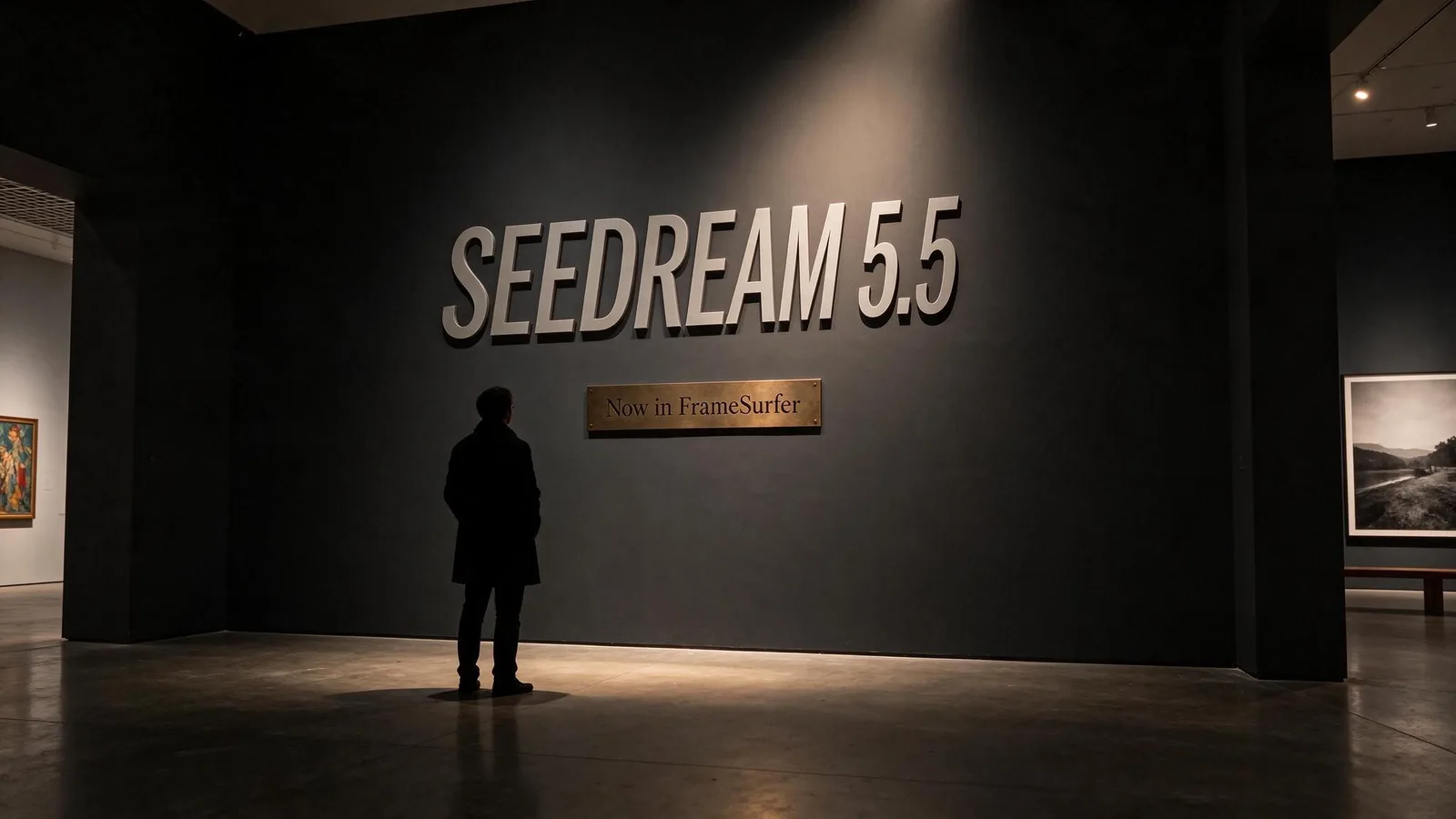
Seedream 5.5 price at a glance
| Where | How you pay | Price per picture | Notes |
|---|---|---|---|
| fal.ai, text to image | Pay as you go | $0.03 at 1K or 1.5K, $0.0405 at 2K | Up to 2,610,000 pixels bills at $0.03 |
| fal.ai, edit | Pay as you go | $0.03 or $0.0405, plus $0.012 per input picture | Two input pictures at 1.5K: $0.054 |
| BytePlus ModelArk | Pay as you go or image bundles | Reported from $0.02 | Not on the public pricing table when we checked |
| Dreamina and CapCut | Subscription credits | Plan based | ByteDance's own apps, with launch promotions |
| FrameSurfer | Plan credits | 1.5 credits | 2,048 px long side, 8 shapes, no API key |
All prices are as of November 12, 2026, and come from the pages linked below.
fal.ai pricing in detail
fal opened Seedream 5.5 on November 11, 2026, as two endpoints: bytedance/seedream/v5.5/text-to-image and bytedance/seedream/v5.5/edit. Per fal's Seedream 5.5 model page, billing is per output picture:
- $0.03 at 1K or 1.5K.
- $0.0405 at 2K, which is the endpoint's default size (
auto_2K). - For a custom size, $0.03 up to and including 2,610,000 pixels, and $0.0405 above that.
- The edit endpoint adds $0.012 per input picture, per output. fal's own example: two input pictures and one output cost $0.054 at 1.5K or $0.0645 at 2K.
The custom-size rule is the one to know. A 2,048 by 1,152 picture (16:9) is 2,359,296 pixels, so it bills at $0.03 even though its long side is 2K. If you call the API yourself and leave the default size, you pay 35% more per picture.
One call can return up to 6 pictures, each billed separately. Picture sizes range from 921,600 to 4,624,220 pixels, in any shape from 1:16 to 16:1.
BytePlus, Dreamina and CapCut
ByteDance's own channels are BytePlus (the developer cloud) and its creative apps, Dreamina and CapCut. Coverage of the launch, such as Crypto Briefing's report, says the model is rolling out on Dreamina, CapCut and BytePlus, and in China on Doubao and Volcano Engine Ark.
Reports say BytePlus lists Seedream 5.5 from $0.02 per picture with first-purchase bundles, and Chinese media quote about 0.28 yuan for a 2K edit. We could not find Seedream 5.5 on BytePlus's public pay-as-you-go table on November 12, 2026, so treat those numbers as reported, not confirmed. ByteDance's own Seedream 5.5 page gives no price.
Seedream 5.5 in FrameSurfer
| Plan | Monthly price | Credits | Cost of one Seedream 5.5 picture | Pictures per month |
|---|---|---|---|---|
| Free trial | $0 | 20, once | Free | 13 |
| Basic | $19 | 500 | about $0.057 | 333 |
| Standard | $39 | 1,500 | about $0.039 | 1,000 |
| Premium | $99 | 4,000 | about $0.037 | 2,666 |
Credits are shared with everything else in FrameSurfer, so the same plan also pays for video clips, voiceovers and finished videos. A picture that fails is not charged.
What is new in Seedream 5.5
ByteDance describes Seedream 5.5 as "a multimodal image generation model with greater creativity and more precise execution." Here is what changed, in plain words:
- Text that reads right. Small, dense and multilingual text is the big claim. ByteDance's reported figures are a 0.4% rate of badly broken text and 1.7% of small errors. In our tests below, every word we asked for came out spelled correctly.
- Real skin and light. Less of the plastic, glossy "AI look." Skin keeps freckles and fine lines, and lighting looks like a camera took it.
- Editing that leaves the rest alone. You can change one part of a picture, then another, up to 100 rounds, and the parts you did not touch stay the same down to the pixel. This is the edit endpoint.
- Transparent backgrounds. It can output a PNG with a real alpha channel, so a sticker or product cutout needs no background removal.
- Faster and cheaper than 5.0 Pro. Launch coverage reports up to 40% faster generation and lower API prices than Seedream 5.0 Pro. These are company claims.
ByteDance also says Seedream 5.5 beats GPT Image 2.5 and Nano Banana 2.1 in its own preference tests. Those are ByteDance's tests, not independent ones. A Pro version of 5.5 has been mentioned but not dated.
6 use cases, with the pictures Seedream 5.5 made
We ran each prompt once in FrameSurfer, with no retries and no editing. Each one cost 1.5 credits.
1. Product ad posters with a real headline
Most image models garble a headline or a label. This is where Seedream 5.5 earns its price.
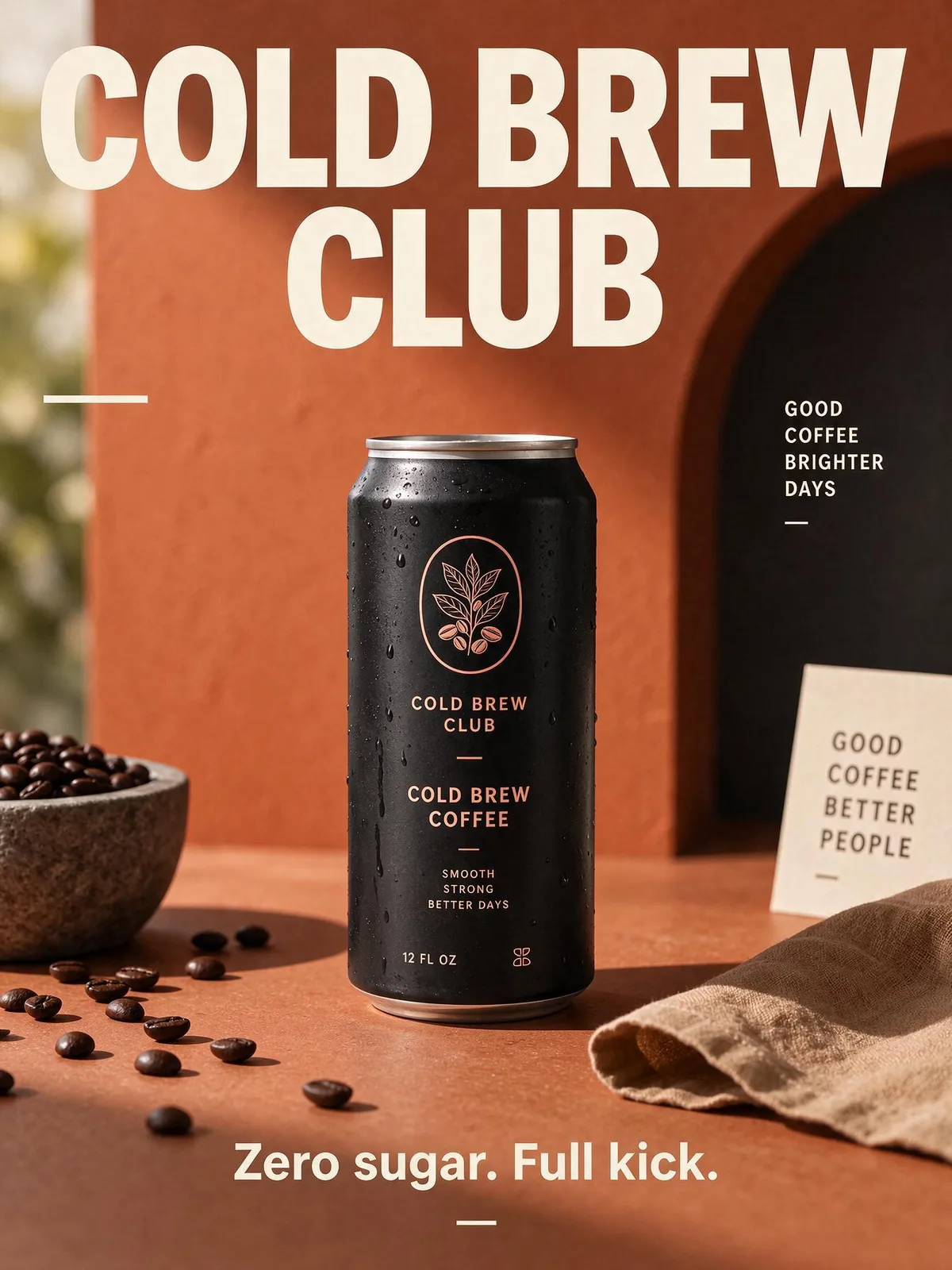
A bold minimalist poster for a cold brew coffee brand. A tall matte black can with condensation on a terracotta background. Large headline text at the top reads "COLD BREW CLUB" and small text at the bottom reads "Zero sugar. Full kick." Studio light, crisp shadows. (3:4)
Both lines came out exactly as written, and the can got its own matching label. It also added a few taglines we did not ask for ("Good coffee, brighter days"). If your ad must carry only your words, say "no other text" in the prompt.
Good for: paid social ads, product launch posters, Amazon and Shopify lifestyle images, packaging mockups.
2. YouTube thumbnails
A thumbnail needs a face with a strong expression and three or four huge words. Seedream 5.5 handles both in one go.
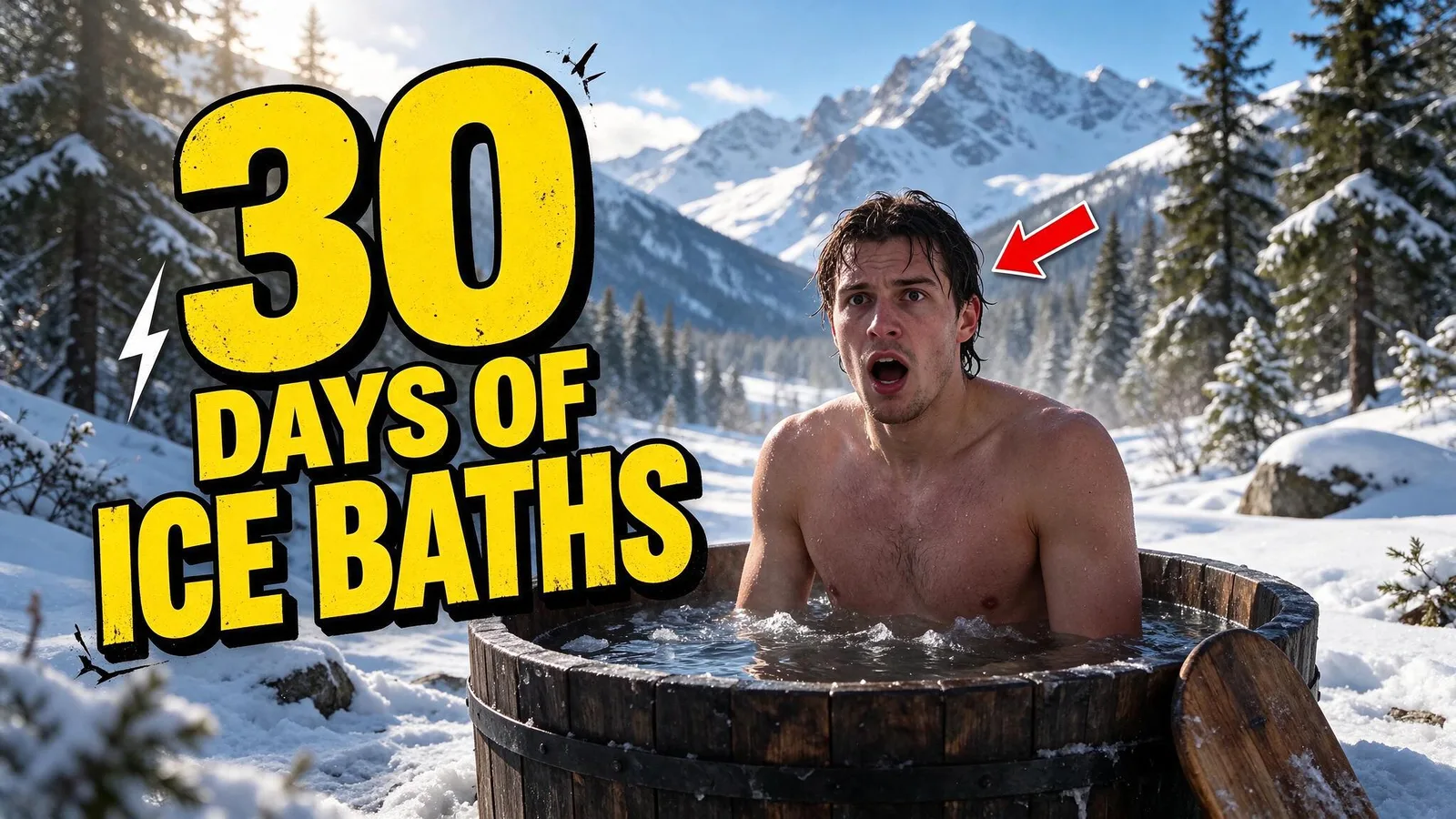
YouTube thumbnail. A surprised young man with wet hair and goosebumps sits in an icy outdoor barrel tub in a snowy forest, mouth open, eyes wide. Huge bold yellow text with a thick black outline on the left reads "30 DAYS OF ICE BATHS". A small red arrow points at his face. High contrast, punchy colors, sharp focus. (16:9)
The text and the expression landed. The red arrow points at his hair rather than his face, so small placement details can still drift.
Good for: YouTube thumbnails, podcast covers, course and webinar banners.
3. Menus, price boards and signs with lots of small text
Five items, five prices and a footer line is the kind of dense text that used to come back as gibberish.
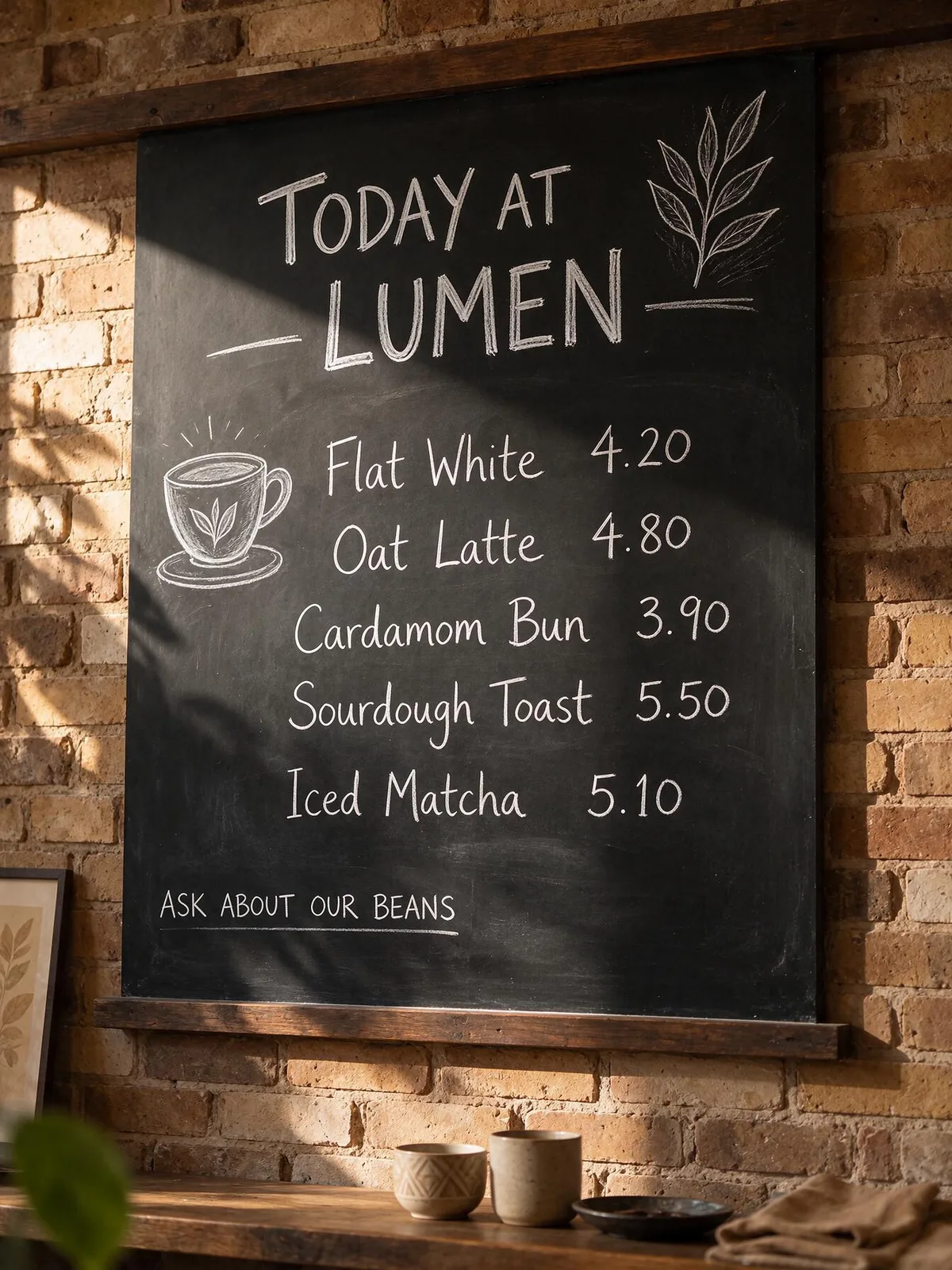
A cozy cafe chalkboard menu on a brick wall, photographed straight on in warm morning light. Hand-lettered chalk text. Title at the top: "TODAY AT LUMEN". Items with prices, each on its own line: "Flat White 4.20", "Oat Latte 4.80", "Cardamom Bun 3.90", "Sourdough Toast 5.50", "Iced Matcha 5.10". Bottom line in small letters: "Ask about our beans". Small chalk drawings of a cup and a leaf. Photoreal. (3:4)
Every item and every price is correct and in order, in a believable chalk hand.
Good for: restaurant and cafe social posts, event flyers, shop window signs, real estate "open house" boards.
4. Story scenes for AI videos
Seedream 5.5 gives a vertical frame that looks like a film still, which makes a strong first frame for a video clip.
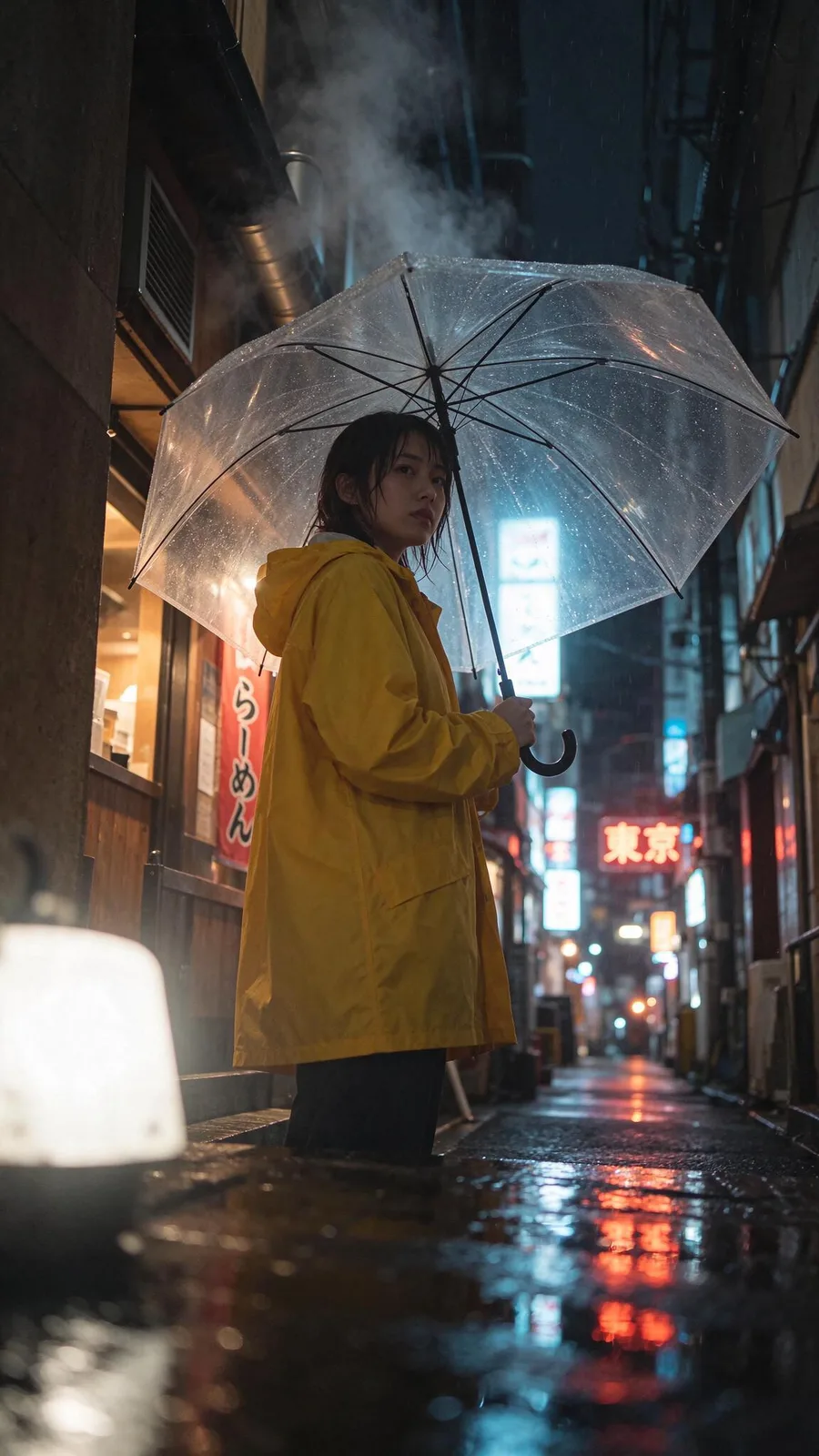
Vertical cinematic film still for a short story. A young woman in a yellow raincoat stands alone in a narrow Tokyo alley at night, holding a clear umbrella. Neon signs reflect in puddles, light rain, steam from a ramen shop vent. Shot from a low angle, shallow depth of field, anamorphic look, natural skin texture, film grain. (9:16)
It even wrote correct Japanese on the signs (ramen and Tokyo). In FrameSurfer you can send a still like this to Image to Video and have it move, or let the Agent build a whole short story around it.
Good for: faceless story channels, music videos, book trailers, storyboards.
5. Lifestyle and UGC-style photos
The "less plastic" claim matters most for people. This is a single prompt, with no skin retouching.
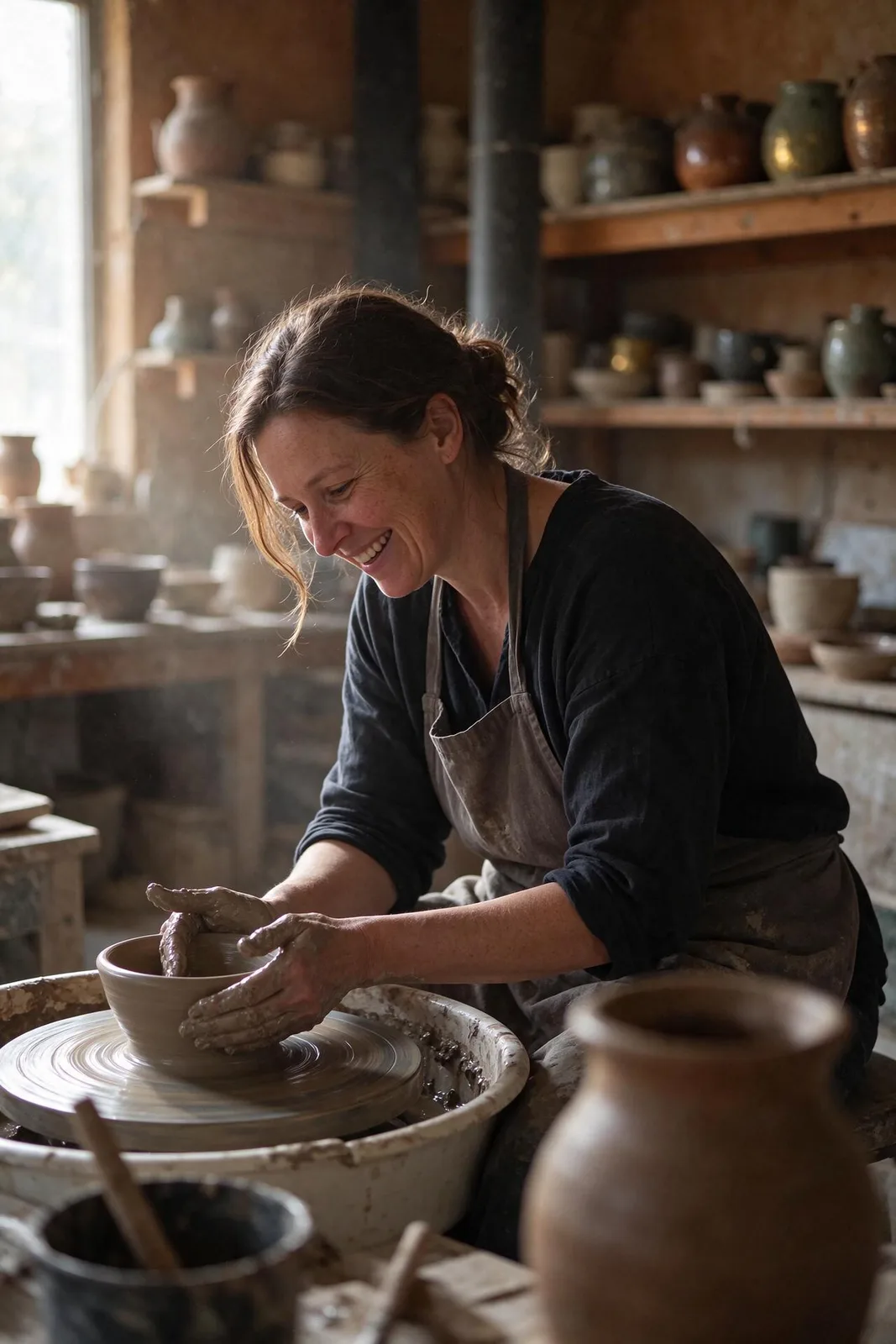
Candid lifestyle photo of a ceramic artist in her 40s in a sunlit pottery studio, hands covered in wet clay, shaping a bowl on a wheel, laughing at something off camera. Soft window light, dust in the air, natural skin with freckles and fine lines, no makeup look, shelves of glazed pots behind her. Shot on a 50mm lens, true-to-life colors. (2:3)
Freckles, laugh lines and clay on the hands all read as a real photo. The hands, a classic weak spot, are correct.
Good for: brand lifestyle shots, small-business "about us" pages, ad creatives that should not look generated.
6. Instagram carousels and simple infographics
A title, a numbered list and a handle, laid out like a designer made it.
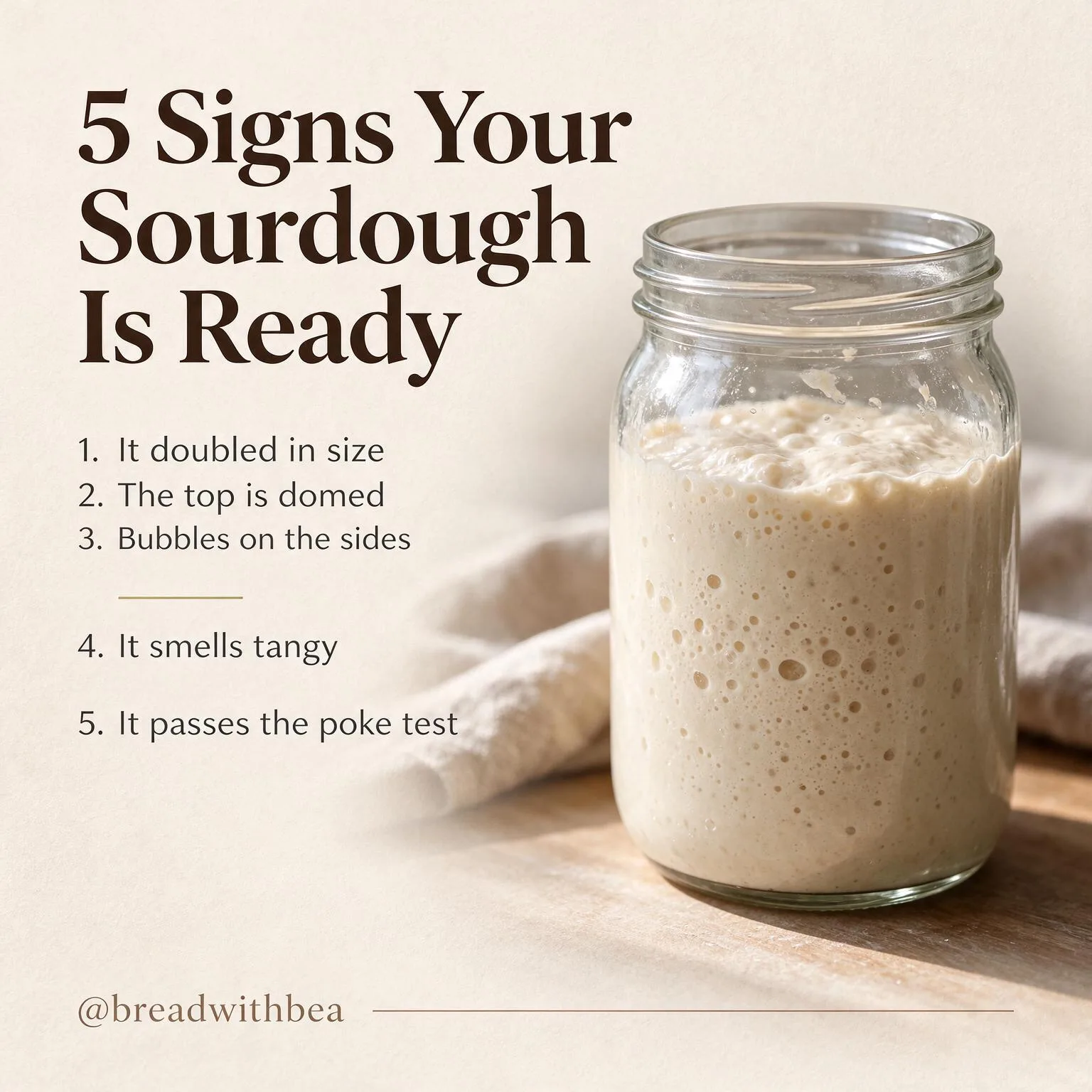
A clean square Instagram carousel slide on a warm cream background. Title in large bold serif at the top: "5 Signs Your Sourdough Is Ready". Below it, a numbered list in neat sans-serif: "1. It doubled in size", "2. The top is domed", "3. Bubbles on the sides", "4. It smells tangy", "5. It passes the poke test". On the right, a photo-style illustration of a glass jar of bubbly starter. Small handle at the bottom: "@breadwithbea". (1:1)
All five lines and the handle are right. The spacing between lines 3 and 4 is uneven, which a designer would fix, but it is ready to post as is.
Good for: educational carousels, Pinterest pins, quote cards, how-to slides.
Seedream 5.5 vs the other image models in FrameSurfer
| Model | Credits per picture | Best at |
|---|---|---|
| GPT Image 2.5 | 1 | Following instructions, precise edits |
| Grok Imagine | 1 | Fast, cinematic characters |
| Wan 2.7 Image Pro | 1.5 | Up to 4K, many reference pictures |
| Seedream 5.5 | 1.5 | 2K detail, text in images, posters |
| Ideogram 3 Turbo | 1.5 | Typography |
| Seedream 5 Lite | 2 | Built-in reasoning |
| Seedream 4.5 | 2 | Many reference pictures |
| Nano Banana 2 | 3.5 | Strong all-rounder and edits |
| Nano Banana Pro | 7.5 | Top quality, reasoning |
Seedream 5.5 is cheaper in FrameSurfer than the two older Seedream models, and costs the same as Ideogram, the model people pick for text. If a picture needs words in it, try Seedream 5.5 first.
How to use Seedream 5.5 in FrameSurfer
- Open the Playground and pick Image.
- Choose Seedream 5.5 in the model menu. The button shows the price, 1.5 credits.
- Pick a shape: 1:1, 9:16, 16:9, 2:3, 3:2, 3:4, 4:3 or 21:9.
- Describe the picture. Put any words it should show in quotes.
- Download it, or send it to Image to Video to make it move.
Developers can call it from the FrameSurfer API with "model": "seedream-5.5" on POST /api/v1/images, at the same 1.5 credits.
For now FrameSurfer runs Seedream 5.5 from words only. Editing an existing picture with it costs more per input picture on fal, so it is not in Image Edit yet.
Prompt tips for Seedream 5.5
- Quote the exact words.
Headline reads "COLD BREW CLUB"works better than "a coffee headline." - Say where the text goes. Top, bottom, on the can, on the sign.
- Say "no other text" when the ad must carry only your words. Otherwise it may add small taglines.
- Name the camera and light. "50mm lens, soft window light" pushes it toward a real photo.
- Keep it to a few sentences. Subject, setting, light, text. That is enough.
Frequently Asked Questions
How much does Seedream 5.5 cost?
On fal.ai, $0.03 per picture at 1K or 1.5K and $0.0405 at 2K, as of November 12, 2026. Editing adds $0.012 per input picture. In FrameSurfer it costs 1.5 credits per picture, about $0.037 to $0.057 depending on the plan.
Is Seedream 5.5 free?
There is no free API tier. In FrameSurfer, a new account's 20 free credits cover 13 Seedream 5.5 pictures, with no card needed. Dreamina and CapCut have run launch promotions for their own users.
When did Seedream 5.5 come out?
ByteDance Seed released it on November 9, 2026. fal.ai opened its API on November 11, 2026, and FrameSurfer added it on November 12, 2026.
Is Seedream 5.5 good at text in images?
Yes. That is its main improvement. ByteDance reports a 0.4% rate of badly broken text. In our six tests every word we asked for came out spelled correctly, including a five-item menu with prices.
Can Seedream 5.5 make transparent PNGs?
The model can, and fal's endpoint has a background: transparent option that returns a PNG with an alpha channel. FrameSurfer does not offer transparent output yet.
What is the difference between Seedream 5.5 and Seedream 5.0 Pro?
Seedream 5.5 is newer. ByteDance says it edits more precisely over many rounds, renders text and skin more naturally, adds transparent output, and generates faster at a lower price than 5.0 Pro. A 5.5 Pro has been mentioned but not released.
Can I use Seedream 5.5 pictures commercially?
fal lists the model under a commercial license. Do not use it to depict real people without their permission.