Text-to-video AI turns written input into a video by combining script planning, visual generation, narration, captions, and editing in one workflow. In practice, that means you can start with a prompt, a rough script, a document, or even a URL and get back a structured draft rather than a blank timeline. The useful question in 2026 is not whether the category exists anymore; it is which parts are automated, which parts still need cleanup, and what a platform is doing behind the scenes when you click generate.
One quick distinction matters before the technical breakdown: a platform is the full system that coordinates multiple generation steps, while individual tools or services may only handle one piece such as voiceover, avatars, captions, or clip creation. I’ve found that readers evaluate these products better once that difference is clear, because many “text-to-video” offerings are really wrappers around one strong component rather than end-to-end video platforms.
What Is a Text-to-Video AI Platform? Definition and Primary Function
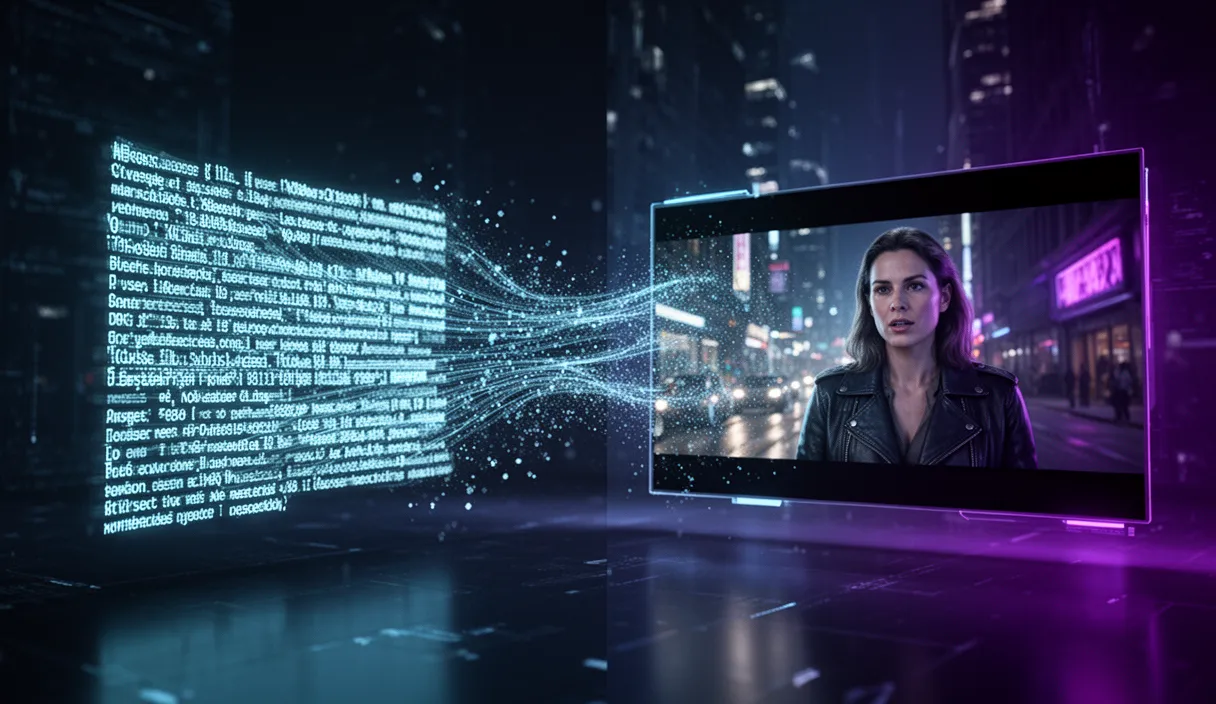
A text-to-video AI platform is software that converts written inputs into video output by combining natural-language processing, computer vision, and synthetic media generation into one production flow, as described in D-ID’s overview of text-to-video AI. That is the practical definition of a text-to-video AI platform: you provide text, and the system interprets meaning, plans scenes, generates or assembles visuals, adds voice and captions, and exports a usable video.
That also helps clarify the definition of text-to-video AI tools and the definition of text to video AI services. A tool may specialize in one task, such as generating a talking avatar, creating B-roll, or producing narration. A service may combine software with templates, editing support, or managed production. The platform’s primary function is broader: it orchestrates those pieces into a single workflow so the user does not have to manually move assets between separate apps.
For example, if you enter a prompt like “Create a 45-second explainer about remote team onboarding,” a capable platform will usually parse the request, draft a script, split it into scenes, choose or generate visuals, create a voiceover, time captions, add transitions, and package the output as one edited sequence. That end-to-end behavior is why modern product pages increasingly describe text-to-video as a full workflow rather than a one-shot clip generator. You can see that shift in products such as Synthesia’s text-to-video workflow, which starts from prompts, files, or URLs and then moves through customization and export.
Historically, this category sits inside the broader AI video market, which now includes avatar video, image-to-video, editing automation, and prompt-based generation. Visla’s plain-English AI video explainer is useful here because it frames current products as systems that can assemble complete videos from text, images, scripts, or existing footage. That is much closer to how buyers should think about the category today.
How We Evaluated Text-to-Video AI Platforms for This Review
Five criteria indicate whether a platform is production-ready: how well it interprets prompts, whether it can structure scenes without heavy manual intervention, how reliable the narration and captions are, whether exports are clean enough to publish, and how much editing is still required after generation. A flashy demo clip is not enough if the platform breaks down on timing, pacing, or basic readability.
I also treated “text-to-video” as a workflow claim, not a marketing label. If a product only generates short clips but leaves scripting, voiceover, assembly, and captions to the user, I would classify it as a useful component tool, not a full platform. In my own review process, the products that felt strongest were the ones that reduced handoffs between planning, generation, and finishing. The ones that fell short usually looked impressive at the clip level but created more work during assembly.
A platform would be disqualified from a strong recommendation if it consistently failed on scene coherence, produced unusable caption timing, or exported videos that still needed major manual reconstruction. That standard matters because many buyers do not need perfect cinema; they need a system that predictably turns text into publishable content.
The Three Layers of Text-to-Video AI
A text-to-video system is not a single model. It is a pipeline of at least three components working together. First, a large language model interprets your prompt, structures a script, and breaks the narrative into individual scenes with visual descriptions. Second, a visual generation model, typically a diffusion or transformer-based architecture, renders each scene as an image sequence or short video clip. Third, supporting models handle text-to-speech narration, word-level captioning, and background music selection. The reason you need all three layers is that no single model today can accept a paragraph and output a coherent, narrated, multi-scene video in one pass.
In practice, this layered design is also why pricing and capability vary so much from one product to another: some products absorb more of the workflow than others. If you want a quick benchmark for how one vendor packages access, credits, or generation limits, Diffio AI's site is the kind of reference worth checking before assuming all “text-to-video” products work the same way.
How Diffusion Models Turn Text Into Moving Images
The visual generation step often relies on diffusion models, but “how does text-to-video work?” is broader than diffusion alone. The process usually starts with prompt interpretation. A language model or prompt parser identifies subjects, actions, setting, style, and camera intent from the text. That information is then converted into a scene plan: what happens first, what should appear on screen, how long each beat lasts, and which visual style should remain consistent.
Next comes frame or clip generation. In image diffusion, the model learns during training to recover a clean image from noise while being guided by text. At generation time it starts with noise and repeatedly refines it until a frame matches the prompt. Video generation adds an extra problem: the model cannot just make one attractive image. It has to produce a sequence where the same subject, lighting, and motion remain coherent over time. That is why text-to-video is harder than text-to-image. A single strong image can still become a weak video if character position, object shape, or camera direction shifts from frame to frame.
After the initial visual pass, the system works on temporal consistency. Depending on the architecture, it may generate clips directly, predict motion between latent frames, or apply consistency constraints so that a person walking forward keeps the same identity and trajectory across the shot. Runway’s Gen-3 Alpha model card is a useful product-level reference because it shows how prompt structure, camera direction, and action description influence generated motion rather than just static composition.
The final stage is assembly. Platforms sequence clips, add voiceover, align captions, insert transitions, and package the result into a longer video. That is the part many technical explainers skip, but it matters most to actual users. In testing these products, I’ve consistently found that impressive generation is only half the story; the publishable result depends just as much on timing, caption sync, and whether the assembled scenes feel intentional rather than randomly stitched together.
For a high-level research explainer on why video generation requires both spatial quality and temporal coherence, Google DeepMind’s Veo overview is a helpful reference. It illustrates the core challenge well: understanding prompt meaning is necessary, but maintaining believable motion and continuity is what makes video generation substantially more difficult than image generation.
Current Capabilities: What You Can Actually Make Today
In early 2026, the most reliable outputs are still built from short generated clips that get stitched into longer sequences. Single generations commonly cover only a few seconds at a time, even when the finished exported video runs much longer. Platforms bridge that gap by chaining scenes together with narration, captions, stock inserts, transitions, or template-driven layouts. That distinction matters because a “3-minute AI video” usually means a workflow-assembled video, not one uninterrupted 3-minute generated shot.
Support for 1080p also needs a plain-English explanation. In most products, 1080p means the exported file is delivered at that resolution; it does not guarantee every generated visual has true high-detail fidelity comparable to filmed footage. Some scenes look crisp enough for social, product explainers, and educational content, while others still show softness, texture oddities, or inconsistent object detail when viewed closely. Many product pages oversimplify expectations: export resolution and visual realism are related, but they are not the same thing.
What works reliably today: short explainers, faceless narration-led videos, slide-like educational recaps, stylized promos, and ad variants where the message matters more than physical realism. What remains inconsistent: hands, dense on-screen text inside generated scenes, recurring characters across many shots, and any action sequence that depends on exact body mechanics. FrameSurfer, for example, chains together an LLM script planner, P-Video generation, ElevenLabs narration, and a transition engine to deliver a complete video from a single prompt. That kind of stack is well suited to narrative assembly even when individual clips still need some quality control.
My hands-on impression is that generated narration and automatic captions are often stronger than the visuals people obsess over. Voice quality is usually usable on the first pass, and caption timing is good enough for fast publishing. The part I still expect to edit manually is scene selection and occasional text cleanup, because one awkward visual beat can make the whole video feel cheaper than it is.
Practical Use Cases Across Industries
A creator making a faceless explainer usually gets the most value from script generation, voiceover, captions, and simple scene assembly. The platform does not need to produce cinematic footage in every shot; it needs to keep the story moving and make the edit feel coherent. That is why this format works so well for YouTube explainers, trend recaps, and list-style videos. If that is your lane, How to Start a Faceless YouTube Channel with AI in 2026 is the most relevant next read.
A marketer producing ad variants cares about speed, message testing, and editable outputs. Here the important capabilities are rapid script rewrites, reusable templates, voiceover options, aspect-ratio flexibility, and lightweight editing rather than perfect generation from scratch. One product angle I like in this category is the ability to spin a single campaign idea into multiple hooks or offers quickly. The weak point is still brand precision: if the ad depends on exact product appearance or tightly controlled motion, manual review remains essential.
An educator turning lesson notes into recap videos benefits most from document-to-script conversion, scene planning, clear narration, and readable captions. This is one of the strongest current use cases because the value comes from clarity and speed, not visual spectacle. I’ve found these outputs are often publishable fastest when the visuals act as support for the spoken explanation rather than trying to carry the whole lesson on generated imagery alone.
A business scaling video output across teams often leans more on templates and services than on pure generation. In that setting, the best platform features are standardized layouts, approval-friendly editing, multilingual voiceover, caption consistency, and repeatable workflows for product updates, internal comms, or customer education. The platform is doing less “movie magic” and more operational work, which is exactly where current text-to-video systems can deliver real return.
The strongest use cases today are narration-led formats where structure matters more than photorealism. The weaker ones are anything that asks the model to behave like a live-action production crew. When expectations stay aligned with that reality, these tools are useful rather than merely impressive.
Limitations and Where the Technology Is Heading
Text-to-video AI still struggles with fine motor details like realistic hand movements, consistent character faces across many scenes, and precise text rendering within generated frames. Clips longer than about 10 seconds per generation can drift in subject consistency or physics. These are active research areas, and improvements are arriving quarterly. By late 2026, expect longer single-shot generations, better character consistency, and real-time preview rendering. The trajectory is clear: what takes three minutes to generate today will take seconds within two years, and visual quality will approach stock footage standards.
Conclusion
Text-to-video AI is best understood as a platform workflow, not a single model: text comes in, the system plans scenes, generates or assembles visuals, adds audio and captions, and exports a finished video. That makes it useful now for explainers, educational content, faceless channels, and rapid marketing production, even though it still falls short on long-form visual consistency and precise realism.
Frequently Asked Questions
What is text-to-video AI?
Text-to-video AI is a technology that converts written descriptions into finished video content. It uses a combination of language models to plan scripts, diffusion models to generate visuals, and text-to-speech systems to add narration. The result is a complete video with visuals, voiceover, captions, and music produced from a text prompt.
How long can AI-generated videos be?
Most tools produce videos between 30 seconds and 5 minutes. Each individual generation is typically 2 to 12 seconds, but platforms like FrameSurfer chain multiple clips together with transitions and narration to create longer, cohesive videos. Some tools support up to 10-minute outputs.
Is the video quality good enough for professional use?
For social media, YouTube, educational content, and marketing videos, current quality is production-ready at up to 1080p. For broadcast television or cinematic work, the technology is not yet a replacement for traditional production, primarily due to limitations in fine detail rendering and physics accuracy.
Do I need technical skills to use text-to-video AI?
No. Most modern tools are designed for non-technical users. You type a description of what you want, and the system handles scripting, visual generation, narration, and editing. Writing a clear, specific prompt is the main skill that improves results.
How much does text-to-video AI cost?
Pricing varies widely. Some tools offer free tiers with watermarks or limited resolution. Paid plans typically range from $10 to $50 per month for moderate usage, with per-video or credit-based pricing for heavy users. Enterprise plans with API access can cost significantly more.
Related Articles
- Best AI Video Generators in 2026: Honest Comparison
- How to Write AI Video Prompts That Actually Work (50+ Examples)
- How to Start a Faceless YouTube Channel with AI in 2026
Ready to create?